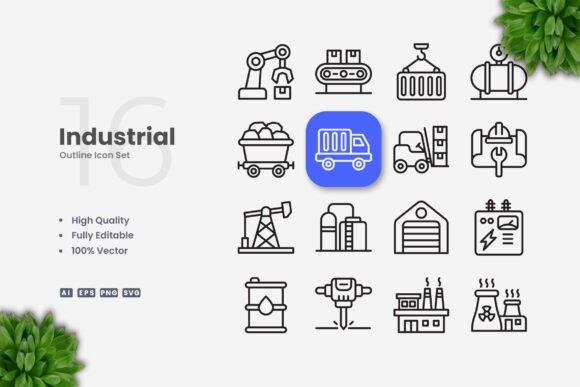
Industrial Icons for Clean, Flexible Design Work
If you have ever tried to build a website, design a mobile app, or put together a printed flyer, you know how much time goes into finding the right visuals. Stock photography can feel cluttered, and custom illustrations are expensive. That is where a well-made icon set steps in. Industrial Icons offers exactly that: a library of simple, clean vector graphics built to work across almost any medium you can imagine. Whether you are a beginner just starting out or a seasoned professional looking for reliable assets, this set gives you a solid foundation without the usual headaches.
What Industrial Icons Actually Are
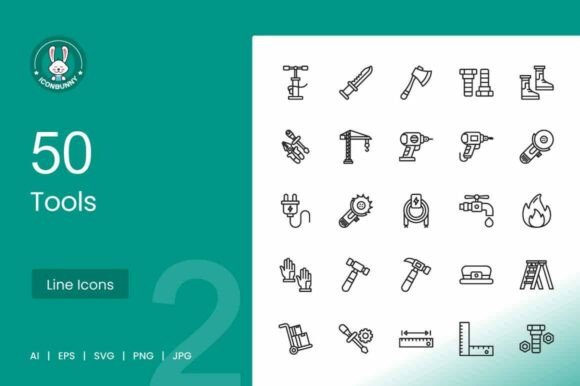
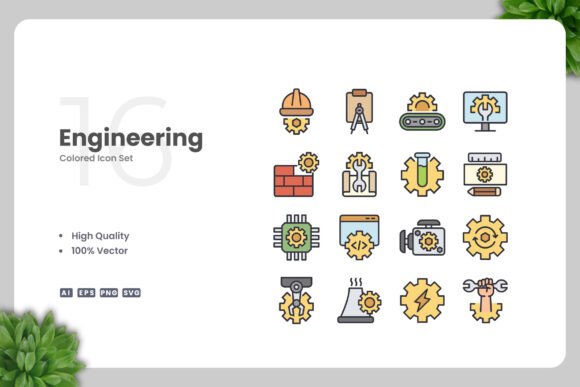
At its core, this collection is a group of vector-based symbols designed around industrial themes. Think gears, tools, machinery, pipes, factory elements, and related concepts. But the real value is not just in what they depict: it is in how they are built. Every icon uses a clean, minimal style with editable strokes, which means you are not stuck with someone else's color choices or thickness preferences. You get the raw shapes, and you make them your own.
Because the files come in multiple formats, including AI, EPS, SVG, and PNG, you can open them in almost any design software. Adobe Illustrator and CorelDRAW are the most common, but SVG files also work directly in web browsers, prototyping tools, and even some word processors. The included Readme.txt file gives you a quick overview of what is inside, so you are never guessing which file does what.
Why Simple and Clean Icons Matter
In design, clarity is everything. A complicated icon with too many details can confuse a user or make a layout feel noisy. Industrial Icons follow the principle of simplicity. Each symbol is reduced to its essential form, making it readable at small sizes on a mobile screen and equally effective when blown up for a poster. This versatility saves you from having to create multiple versions of the same asset for different contexts.
The clean aesthetic also makes these icons feel modern and professional. They do not rely on trendy effects or dated textures. Instead, they work with flat design, material design, and even more illustrative styles if you choose to add your own textures later. That neutrality is a strength, especially if you are designing for clients with different brand identities.
Who Benefits from This Icon Set
The audience for Industrial Icons is broader than you might expect. Freelancers and small business owners often need to produce marketing materials quickly without hiring a designer. Having 100 vector icons ready to drag and drop into a flyer or social media post saves hours of work. Educators and trainers use icons in presentations, worksheets, and infographics to make technical topics more approachable. Bloggers and content creators can add visual cues to articles or video thumbnails without worrying about copyright issues.
Even if you are a hobbyist who enjoys making printables or digital art, this set gives you a professional starting point. You do not need advanced illustration skills to resize, recolor, or adjust stroke weight. The vector files are fully customizable, so you can experiment freely without breaking the original design.
Practical Uses Across Different Projects
One of the strongest selling points of Industrial Icons is how many formats they support. Let us walk through a few realistic scenarios.
Websites and Mobile Apps
When building a site for a manufacturing company or a logistics startup, icons appear everywhere: navigation menus, feature lists, call-to-action buttons, and loading animations. Because the SVG files are lightweight, they do not slow down page load times. You can also change the color of an icon on hover using CSS, which adds interactivity without extra images.
For mobile apps, the editable stroke weight is particularly useful. A thicker stroke might work better on a small smartwatch screen, while a thinner line looks more refined on a tablet. With Industrial Icons, you can adjust that in seconds inside your vector software.
Print Materials
Flyers, brochures, banners, and posters all benefit from consistent iconography. Imagine designing a recruitment flyer for a technical college. Icons representing welding, electrical work, and mechanical engineering can break up text and guide the reader's eye. Since the icons are vector files, they scale to any print size without pixelation. You can embed them directly into a layout in InDesign, Affinity Publisher, or even Microsoft Word if you use the PNG versions.
Social Media and Infographics
Social media posts need to grab attention fast. An icon paired with a bold statistic can communicate a message more effectively than a paragraph of text. Infographics rely heavily on consistent visual language. When every icon in your graphic shares the same stroke weight and style, the whole piece looks polished. Industrial Icons give you that consistency out of the box.
Books and E‑books
Whether you are writing a technical manual, a textbook, or a self‑published guide, icons can make instructions clearer. A step-by-step procedure becomes easier to follow when each step has a small visual cue. Because the icons are provided in high‑quality vector format, they print cleanly in both black-and-white and color.
Customization Made Simple
One of the biggest frustrations with pre-made graphics is the lack of flexibility. You find an icon you like, but the color is wrong or the stroke is too thick. Industrial Icons solve this by giving you fully editable vectors. Open the AI or EPS file, select the icon, and change the fill or stroke color to match your brand palette. You can also adjust the stroke weight to suit different sizes or visual preferences.
If you are new to vector software, do not worry. Editing strokes and colors in Adobe Illustrator or CorelDRAW is one of the first skills beginners learn. There are countless free tutorials online, and the Readme.txt file included with the set offers basic guidance. The learning curve is gentle, and the payoff is huge when you can customize an entire library of icons to fit your project perfectly.
What to Consider Before You Start Using Them
While Industrial Icons are designed to be easy to use, a few practical considerations will help you get the most out of them.
- File format matters. If you plan to use icons on the web, SVG is your best bet for quality and performance. For print, AI and EPS give you the most control. PNG files are great for quick mockups or for people who do not have vector software installed.
- Stroke weight consistency. Because the icons come with editable strokes, you can make them all match. But if you are customizing heavily, double‑check that related icons look balanced together. A gear with a very thick stroke next to a wrench with a thin stroke might feel mismatched.
- Preview mockups are not included. The set contains the icons themselves, not staged scenes or presentation templates. You will need to place the icons into your own layouts. This is actually a benefit: you are free to use them exactly as you need without paying for extras you do not want.
- Licensing and usage rights. Always review the license that comes with the set. Most commercial icon packs allow you to use them in client projects, but restrictions can apply to reselling them as standalone assets. The included Readme.txt typically outlines what is allowed.
How Industrial Icons Fit Into a Larger Workflow
Design work rarely happens in isolation. You might start a project in a vector program, move it to a layout tool, and finish it in a web editor. Because Industrial Icons provide source files in multiple formats, they move with you. You can tweak an icon in Adobe Illustrator, export it as an SVG, and drop it into Figma or Sketch for a web prototype. Later, you can use the EPS version in a print layout. The drag‑and‑drop simplicity means you are not wrestling with file conversions or compatibility issues.
For teams, having a centralized icon set ensures brand consistency. If everyone uses the same library, a website and a printed brochure will share the same visual vocabulary. Editable strokes also mean you can maintain a uniform line weight across all materials, which is a hallmark of professional design.
A Reliable Starting Point for Creatives
Industrial Icons is not a magic solution that designs your project for you. What it does is remove one of the biggest obstacles: the search for clean, usable graphics that you can actually modify. Whether you are creating a mobile app interface, a trade show banner, or an educational infographic, these 100 vector icons give you a foundation to build on.
The real test of any design asset is whether it saves you time without limiting your creativity. This set passes that test because it is simple enough for a beginner to use and flexible enough for a professional to push further. You can change a color, scale it up, adjust the stroke, or combine icons to create new symbols. The work you put into customization stays in your files, and the result feels uniquely yours.
If you have been hesitating to start a project because you did not have the right visuals, or if you are tired of searching for icons that look consistent across different media, this collection is worth a close look. It is built for people who want to make things, not spend hours hunting for assets. And in the end, that is exactly what good design tools should do: get out of your way and let you create.