Touch Gesture Icons Set for Interactive Design
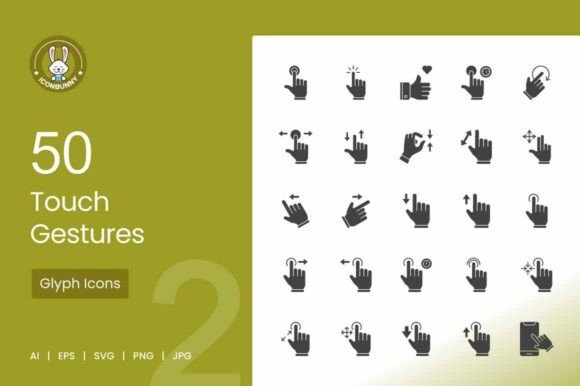
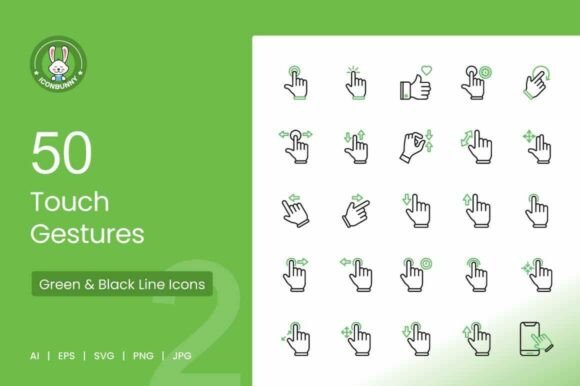
Touch gestures form the core vocabulary of modern mobile and tablet interactions. Communicating these actions clearly within your designs, documentation, or presentations is essential for user understanding and product adoption. The Touch Gestures Green Black Icons set delivers a complete library of 50 vector illustrations built for exactly this purpose. Whether you design app onboarding flows, build UX training materials, or create social media content around digital products, this collection provides a consistent visual language for the movements users perform daily. The set focuses on practical clarity, offering a clean line style that integrates smoothly into professional workflows.
Why Gesture Clarity Matters for User Adoption
Users learn touch interfaces through visual cues. An icon for a simple tap must look distinct from a long press or a double tap. When these symbols are muddled or inconsistent, users struggle to understand the interface, leading to higher drop-off rates during onboarding. This set addresses that challenge by applying consistent visual metaphors across every gesture included. For a UX designer running user tests, this consistency reduces cognitive friction. Test participants can focus on the task rather than deciphering the interface symbols. For a product manager creating app store previews, these icons offer a universal shorthand that translates across different languages and cultures, reducing the amount of text needed to explain interactions. A marketer building a campaign around a new app feature can use the swipe or drag icon to instantly communicate the core action, making ad creatives more effective.
Evaluating the Technical Foundation
A premium icon set is defined by its adaptability across different tools and outputs. This collection provides AI, EPS, SVG, PNG, and JPG formats, ensuring compatibility with nearly every design or development workflow. SVG files allow front-end developers to integrate gestures directly into web or mobile app code with full scalability and no loss of quality. Graphic designers working in tools like Illustrator or Affinity Designer can open the AI or EPS files to adjust stroke weights or align the icons with a specific brand guideline. The 1024 by 1024 pixel resolution for the PNG and JPG files delivers crisp results for both digital screens and standard print materials, striking a practical balance between file usability and visual fidelity.
Format Versatility for Different Roles
The real value of multiple formats becomes clear when considering how different team members use assets.
- Designers benefit most from the organized layers in the AI and EPS files. Changing the green accent to a client brand color takes seconds, not hours.
- Developers can pull SVG files directly into their codebase. These vectors render sharply on retina screens and can be styled with CSS for different states or themes.
- Marketers and content creators working on tight deadlines find the high-resolution PNG files ready for immediate use in presentations, social media graphics, or video overlays.
This format foundation ensures the icons are not just a static purchase but a reusable asset that fits into any stage of a project lifecycle.
Matching Gestures to Real-World Scenarios
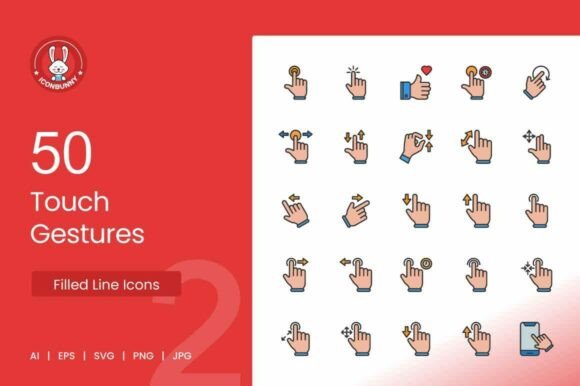
The set includes 50 distinct gestures, covering basic actions and more complex multi-finger interactions. This breadth allows creators to accurately represent the full range of touch-based navigation. Consider how different professionals might apply the same icon set to distinct challenges. An educator developing a curriculum on mobile design principles uses the variety of gestures to build comparative exercises. Students can study the difference between a flick and a scroll, or examine how the visual representation of a rotate gesture implies directionality. A technical writer updating a help center article replaces long paragraphs of instruction with a simple pinch icon. This reduces translation costs and makes documentation more scannable for users seeking quick answers. An app developer preparing a walkthrough for a photo editing tool relies on the pinch, zoom, and rotate icons to guide users through the core editing features without overwhelming them with text.
Practical Applications Across Projects
- Onboarding flows: Introduce key features with tap, swipe, and long press icons to educate users without friction.
- App store video previews: Overlay swipe or drag icons onto demo videos to highlight specific interactions clearly.
- User manuals and guides: Replace lengthy instructions with universally understood gesture icons for faster comprehension.
- Social media carousels: Use the swipe icon to hint at additional content, which increases engagement and click-through rates.
A Resource for Educators and Hobbyists
For those still building their skills in user interface or interaction design, studying a professionally crafted icon set offers significant learning value. Observing the stroke consistency, the use of negative space in the rotate icon, or how the hold gesture visually differs from a standard tap provides insight into effective visual communication. Hobbyists exploring app development can use the set to make their prototypes look polished from the first draft. Presenting a well-designed interface to peers or potential users builds credibility early in the learning process. The included formats allow for experimentation. A student can open the SVG files in a browser to inspect the code, or load the AI files into a design tool to practice editing vector paths. This hands-on exploration reinforces design principles in a practical way that theory alone cannot provide.
A Foundation for Agencies and Freelancers
Commercial value and speed are often the deciding factors for professionals evaluating an asset pack. For a freelancer managing multiple client projects, time spent creating custom icons for every proposal or prototype is time not spent on higher-value strategy work. Having a reliable library of 50 essential gestures eliminates that bottleneck. The freelancer can focus on layout, copy, and user flow while trusting the visual language to remain clear and professional. For a digital agency, consistency across client deliverables is a hallmark of quality. The ability to customize the vector files and apply brand-specific colors ensures that the icons never look like an off-the-shelf addition. They become a seamless part of the overall design system. The long-term usefulness of the set is high because touch gestures remain a constant element in interface design. The investment pays for itself after the first few projects, offering strong return through repeated use.
Assessing Long-Term Value and Compatibility
When evaluating whether this icon set matches your specific goals, consider your current workflow and the types of projects you regularly complete. If you frequently design mobile interfaces, build interactive prototypes, or create educational content about digital products, the breadth of gestures in this set will become a regular reference resource. The combination of vector and raster formats ensures you are prepared for both digital and print output. The clean design style avoids overly trendy aesthetics, meaning the icons will remain visually appropriate for years. For a small business owner launching a mobile app, the cost of a premium icon set is far outweighed by the professional appearance it gives to an application and the time saved compared to outsourcing custom illustrations. For a seasoned professional, the reliability of having a consistent, scalable, and complete gesture library simplifies an otherwise repetitive part of the design process.
Choosing an icon set ultimately comes down to how well it aligns with your daily tasks and creative standards. The Touch Gestures Green Black Icons set provides a thorough, well-formatted solution for anyone who needs to communicate touch interactions clearly. Its value lies in the quality of its execution, the practicality of its format variety, and the broad applicability of its subject matter to modern interface design. Whether you are drafting your first app prototype or refining a professional design system, the clarity offered by a dedicated gesture library makes the work easier and the results more effective.