Transportation Vector Set: Versatile Icons for Every Project
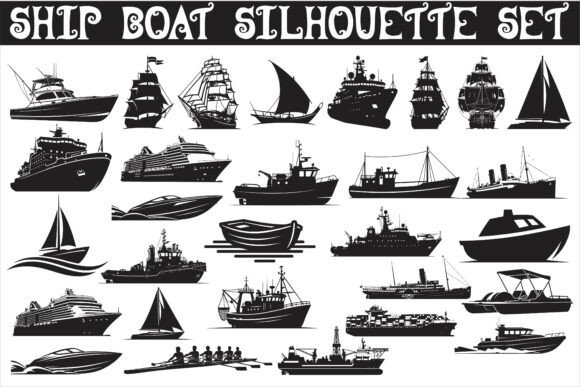
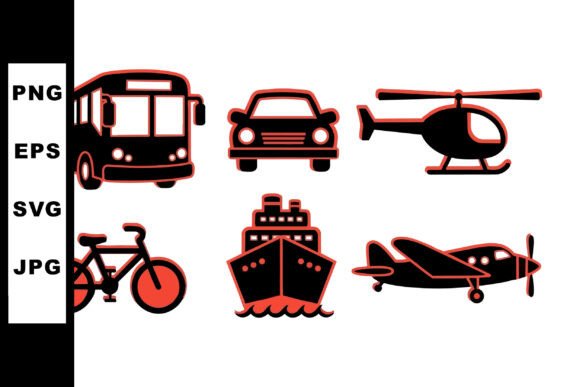
Whether you are designing a navigation interface, building an infographic for a logistics report, or creating visual collateral for a travel app, the right icon set can make the difference between a cluttered mess and a polished, professional layout. The Transportation Vector Set delivers exactly that: a clean collection of black silhouette transport icons including bicycle, bus, car, helicopter, ship, and airplane, all rendered in a flat vector design. Each icon is provided in SVG, EPS, JPG, and PNG formats inside a single downloadable ZIP, so you can work across any platform without format headaches. This isn’t just a set of shapes—it’s a toolkit for communicating movement, travel, and logistics with clarity and style.
What Makes This Set Immediately Useful
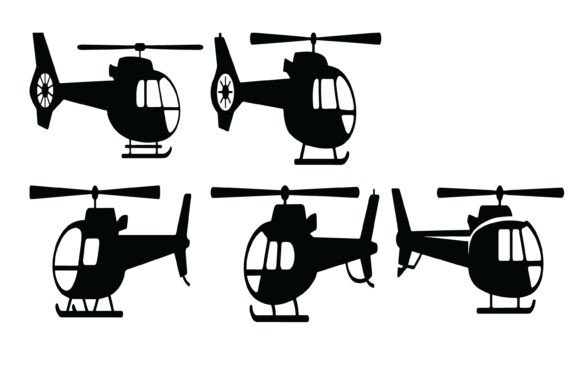
The strength of this vector collection lies in its simplicity. The icons use a consistent black silhouette approach with flat vector geometry, which means they scale perfectly from a 16-pixel mobile button to a full-page poster. Because they are silhouettes, there is no distracting detail or unnecessary ornamentation. Each icon—from the bicycle with its two clean wheels to the helicopter with a distinct rotor outline—is instantly recognizable. The flat design also ensures that the icons work well on both light and dark backgrounds with minimal adjustment. For designers who need to maintain a uniform look across multiple assets, this consistency is a time-saver.
Integrating the Icons into App and Web Interfaces
In mobile and web design, navigation and function indicators rely heavily on icon clarity. The Transportation Vector Set provides a natural visual vocabulary for any travel-related or logistical application. The car icon can represent ride-hailing services, the bus icon suits public transit schedules, and the airplane icon signals flight booking or airport information. Because the icons are delivered as SVG and EPS vectors, you can recolor them to match your brand palette in seconds. For example, a logistics dashboard might use the ship icon in a dark blue to represent cargo routes, while a city transport app keeps all icons in a neutral gray. The PNG and JPG raster files are also included for quick prototyping or use in tools that do not support vector imports.
One practical approach is to use the icons as button labels or list markers. The bicycle icon, for instance, works well for a “bike sharing” tab, while the helicopter icon can denote express services or air taxi options. Because the silhouettes are bold and uncluttered, they remain legible at small sizes—a critical factor for mobile interfaces where real estate is scarce. You can also combine multiple icons in a single row to create a route selector or a mode-of-transport filter without overwhelming the user.
Using the Set for Infographics and Presentations
Infographics are all about transforming data into visual stories, and transportation icons are a natural fit for maps, flowcharts, and comparison graphics. The ship and airplane icons can illustrate shipping routes and flight paths, while the bus and car icons help visualize ground traffic patterns or fleet composition. Black silhouettes work particularly well with color-coding: apply a transparent overlay or a colored outline to differentiate categories while keeping the core icon shape consistent. For instance, in an infographic comparing travel times, you could use the bicycle icon for eco-friendly routes, the car for personal vehicles, and the bus for public transit—all sharing the same visual weight.
Presentations benefit from the same consistency. A slide explaining a multi-modal transportation system can use these icons as visual anchors next to bullet points or statistics. Because the set includes only six icons, it encourages a focused, uncluttered narrative. You can also scale the icons to different sizes within the same slide to create visual hierarchy: a large airplane icon for the headline mode, with smaller icons for supporting details. The EPS file format is especially handy for PowerPoint or Keynote users who prefer to edit vectors directly in illustration software before importing.
Adapting the Icons for Different Creative Goals
Not every user has the same workflow, and this set accommodates a wide range of creative needs. Freelance designers can use the SVG files in web projects to keep load times low and scalability infinite. Small business owners creating social media graphics can rely on the PNG versions for quick drag-and-drop into Canva or similar tools. Educators developing classroom materials about transportation can print the JPG files at high resolution without losing sharpness. The key is to think beyond the obvious use case: a car silhouette can also symbolize speed, delivery, or personal mobility in an abstract sense, while a helicopter might represent emergency response or aerial photography.
Marketers and bloggers can integrate these icons into email headers, landing pages, or even printable brochures. Because the design is flat and modern, it aligns with current minimalist aesthetics. If your brand requires a more playful look, you can add a subtle shadow or a dotted outline around the silhouette without breaking the vector integrity. For more formal presentations, leave the icons as pure black silhouettes for maximum contrast. The versatility comes from the fact that these are not overly stylized—they are generic enough to fit many contexts yet specific enough to be immediately understood.
Practical Tips for Working with the Files
To get the most out of the ZIP download, start by organizing the files by format. Keep the SVG and EPS vectors in a folder for editing, and the PNG and JPG rasters in another for quick use. When opening the SVG files in a browser or a vector editor like Illustrator or Inkscape, you can ungroup the shapes if needed. Since these are silhouettes, each icon likely consists of a single compound path, which makes recoloring or resizing straightforward. If you want to create a set of icons with a consistent stroke weight, you can convert the filled shapes to outlined strokes—but for most purposes, the solid fill is ideal.
For web developers, embedding SVG inline allows you to control color and size via CSS. You can also use the PNG files with transparency for background images. In responsive designs, consider using the SVG version for icons that need to scale between breakpoints. The JPG files are best reserved for print or situations where transparency is not required. If you plan to use the icons in an app, the EPS format can be converted to Android Vector Drawable or iOS PDF asset with minimal effort. Always test the icons at the smallest intended size to ensure the silhouette remains crisp—these icons are designed with thick enough shapes to hold up well even at 16 pixels.
Project Ideas to Inspire Your Next Work
Sometimes the best way to start is to see what others have done. Here are a few concrete project ideas that leverage the Transportation Vector Set:
- City Guide Web App: Use the bus, car, and bicycle icons as toggle filters for transportation modes in a map overlay. Combine with a color legend for real-time traffic data.
- Logistics Dashboard: Display the ship and airplane icons next to shipping metrics to visually separate ocean freight from air cargo. The helicopter icon can represent premium express services.
- Educational Poster Series: Print large-format posters featuring each transportation icon alongside facts about speed, capacity, or environmental impact. The flat silhouette style keeps the design modern and classroom-friendly.
- Travel Blog Header: Arrange the airplane, ship, and car icons in a horizontal banner to suggest different travel styles. Use the bicycle icon to emphasize slow travel or eco-conscious tourism.
- Mobile Game Interface: Use the icons as button symbols for selecting vehicles in a simple puzzle or racing game. The black silhouette style works well with a bright, colorful background.
- Package Delivery System: In a tracking interface, assign each transportation mode a different icon—car for local delivery, airplane for international, and bicycle for last-mile couriers.
These examples show that the same six icons can serve completely different functions depending on context. The helicopter icon, for example, might appear in a weather app to indicate aerial survey data, or in a news infographic about traffic reports. The key is to think of the icon not just as a literal representation, but as a visual shorthand for a broader concept.
Maintaining Consistency Across Multiple Assets
When using the icons across different platforms—say, a website, a mobile app, and a printed brochure—consistency in size, alignment, and spacing becomes critical. The Transportation Vector Set helps because all icons share the same visual weight and line thickness. Even so, pay attention to the bounding box. If you plan to place the icons in buttons or cards, set a fixed width and height for each container so that the bicycle does not appear smaller than the ship. Using SVG or EPS, you can adjust the view box to ensure uniform visual size. For raster versions, scaling the PNG files proportionally is straightforward, but keep an eye on anti-aliasing edges when resizing down.
Another subtle point: black silhouettes look crisp on white or light gray backgrounds, but on dark backgrounds you may want to invert them to white. Since these are flat vectors, a simple fill color change takes seconds. If you need a semi-transparent variant for layered designs, duplicate the icon and adjust opacity. The simplicity of the designs makes them forgiving: even if you rotate them or mirror them horizontally for directional cues, they retain their integrity.
Whether you are a seasoned designer looking for a reliable set of transport icons or a small business owner creating visual content for the first time, the Transportation Vector Set offers a solid foundation. The included formats cover every common use case, the flat black silhouette style ensures maximum flexibility, and the six core icons cover the most essential modes of transportation. Download the ZIP, open the files in your preferred tool, and start building visuals that communicate movement and connection with clarity and purpose.