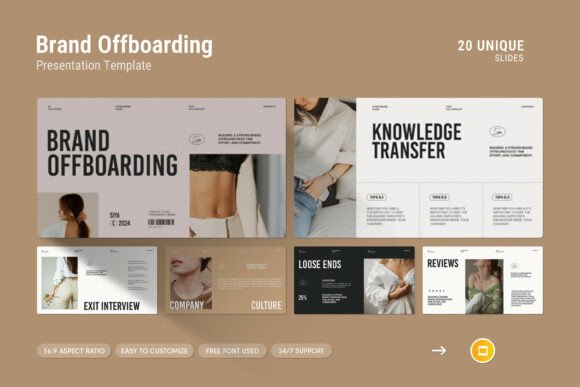
Brand Offboarding Google Slides Template
When the time comes to part ways with a client, a partner, or even an internal campaign, the final presentation can shape how that relationship is remembered. A brand offboarding process is not just about closing a chapter; it is about leaving a positive, professional impression that opens doors for future collaboration or referrals. The Brand Offboarding Google Slides Template offers a structured, visually refined way to present your closing summary, ensuring clarity and professionalism at every step. For professionals, entrepreneurs, marketers, and educators who regularly handle project wind-downs, this template turns a potentially awkward administrative task into a polished, confident deliverable.
What Makes This Template Different
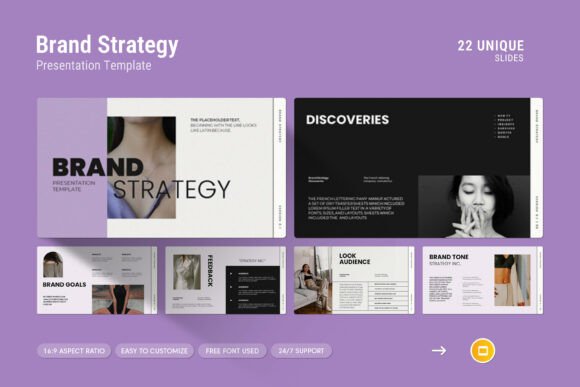
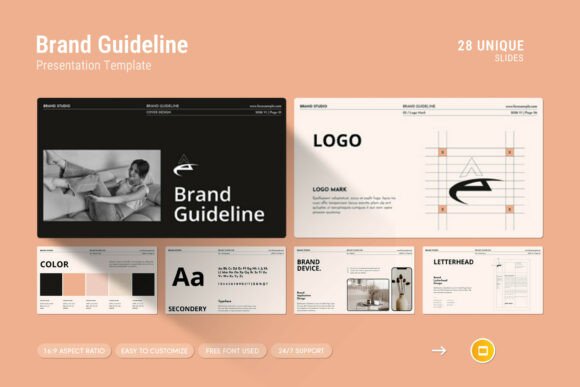
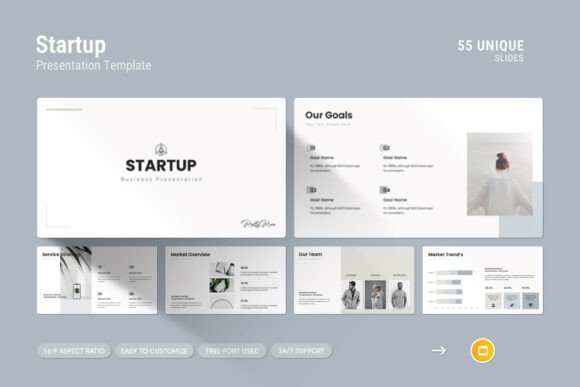
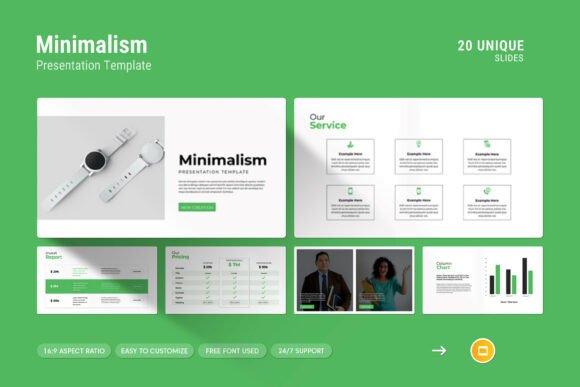
Many presentation templates lean heavily on flashy graphics that do little to convey substance. This template takes a different approach. It is designed to be simple, contemporary, and powerful. The emphasis is on clear communication supported by creative photo layouts, infographics, tables, vector icons, and diagrams. These elements are not decorative extras; they are practical tools that help you present data, timelines, handover notes, and final reports in a way that is easy to digest. The design is clean enough for internal stakeholder meetings yet refined enough for external client presentations. Whether you are offboarding a long-term brand campaign or transitioning a project to a new team, this template gives you the structure to do it well.
Who Can Benefit Most from a Structured Offboarding Deck
The Brand Offboarding Google Slides Template is particularly valuable for professionals who need to present offboarding information to multiple decision-makers. This includes:
- Marketing and advertising agencies wrapping up campaigns and needing to present performance summaries, asset handovers, and final recommendations.
- Freelancers and consultants who want to leave a lasting professional impression that encourages repeat engagement or referrals.
- Corporate teams handling internal brand transitions, product retirements, or vendor offboarding.
- Small business owners who manage their own client communications and need a reliable framework that saves time while looking polished.
- Educators and trainers presenting final project reviews or course outcomes to administrators or funding partners.
The template works for anyone who values clarity and consistency but does not want to spend hours designing slides from scratch.
Save Time Without Sacrificing Quality
Creating a professional offboarding presentation from zero can take several hours, especially when you factor in slide layout, visual hierarchy, color coordination, and asset placement. With this template, the heavy lifting is done. The master slides layout means you can apply consistent formatting across all 20 slides with a single click. Color changes are easy, so you can adapt the palette to match your brand or the client’s identity without editing each slide individually. The drag-and-drop picture feature allows you to swap images quickly, which is especially helpful when you are working with tight deadlines and need to assemble a last-minute presentation.
Communicate Clearly with Visual Tools
Offboarding often involves delivering complex information: final metrics, asset inventories, timeline recaps, financial summaries, and next steps. A wall of text will not serve your audience well. The infographics, tables, and diagrams included in this template help you turn data into clear visual stories. Vector icons add quick visual cues that help viewers scan content and understand relationships between ideas. When you present a budget recap with a clean chart or mark milestones along a timeline graphic, your audience can grasp the key takeaways in seconds rather than minutes. This level of clarity reduces back-and-forth questions and helps everyone stay aligned.
Maintain Brand Consistency
Whether you are presenting your own company’s offboarding summary or a client-facing report, consistency is a sign of professionalism. The template includes 20 slides that follow a cohesive design language, from fonts to spacing to color usage. Because the template is fully editable, you can adjust any element to align with specific brand guidelines. The use of free fonts means you will not run into licensing issues, and the 16:9 Full HD ratio (1920x1080px) ensures your slides look crisp on any modern screen. This attention to detail tells your audience that you treat every stage of the relationship, including the end, with the same level of care.
How the Template Supports Real Workflows
The Brand Offboarding Google Slides Template is built to integrate into your existing workflow without friction. The file is delivered as a .PPTX file, which works seamlessly with Google Slides and also opens in Microsoft PowerPoint on both Apple and Windows devices. This cross-platform compatibility matters when you collaborate with team members who use different operating systems or presentation software.
The included help file provides clear guidance on how to make the most of the template, from adjusting colors to inserting new slides. Free designer support is available if you run into questions or need customization advice. That kind of backup is especially useful for users who are not design professionals but need to produce a high-quality presentation for an important meeting.
Here are a few ways the template can fit into real scenarios:
- Final client handoff: Use the table and infographic slides to list all deliverables, access credentials, and documentation. Include a timeline of key milestones and a final performance summary. The clean design reinforces your reliability.
- Internal project closure: When transitioning work between departments, use the diagram slides to map out new ownership and responsibilities. The visual structure reduces confusion and helps new stakeholders get up to speed quickly.
- Freelance wrap-up report: Showcase completed work with photo layouts, highlight results with data graphics, and outline future recommendations. A professional offboarding deck can differentiate you from other freelancers and encourage clients to return.
- Portfolio or case study use: Take the same offboarding slides and repurpose them for your website or portfolio. The 16:9 format exports cleanly for digital use, and the vector icons add a modern touch that complements most personal brand aesthetics.
What to Consider Before Choosing This Template
No single template fits every situation perfectly, and it is fair to consider whether this one matches your specific needs. The Brand Offboarding Google Slides Template includes 20 slides, which is a generous number for most offboarding presentations. However, if your project requires an unusually large number of slides beyond that, you may need to duplicate some layouts or supplement with additional slides. The master slides make duplication straightforward, but it is worth noting if you frequently present multi-departmental reviews with 40 or more slides.
The template relies on free fonts, which is a practical feature that keeps costs down and avoids font mismatch issues. Still, you should verify that the fonts render correctly in your preferred presentation app, especially if you are collaborating with users across different platforms. The help file includes details about font names and alternatives.
If your offboarding presentation needs to include extensive video or interactive elements, this template is best suited as a starting point rather than a final container. It excels at static visual communication, which covers the majority of offboarding needs. For users who embed live dashboards or video walkthroughs, you can add those elements manually after importing the slides.
Getting the Most Out of the Template
To get the best results, take a few minutes to customize the color scheme and master slides before you start filling in content. This upfront investment makes every subsequent slide consistent without additional effort. Use the infographic and diagram slides for sections that benefit most from visual explanation, such as budget breakdowns, timeline recaps, or handover checklists. Reserve the photo layout slides for team introductions, key moments, or before-and-after visuals that humanize the presentation.
When you need support, the designer is available to answer questions. That free real support is a valuable resource, especially if you are new to working with presentation templates or need advice on adapting the design to a specific brand. Do not hesitate to reach out if you encounter a roadblock; the support is part of what makes this template a reliable tool rather than just a file download.
The Brand Offboarding Google Slides Template is a practical investment for anyone who regularly presents project endings, transitions, or client wrap-ups. It saves time, improves clarity, and helps you present your work with the professionalism it deserves. Whether you are a solo freelancer building your reputation or a team lead responsible for clean handoffs, this template gives you a solid foundation to close projects on a high note.